
Creating panoramas out of a set of pictures or a set of video frames in the simplest and most effective way is what Microsoft Image Composite Editor was designed for. Its wizard-like and attractive interface makes this tool suitable for all types of users. This free utility is compatible with Adobe Photoshop, Microsoft’s Deep Zoom, and Photosynth, and will also let you save your panoramic views in the most common high-quality image file formats.
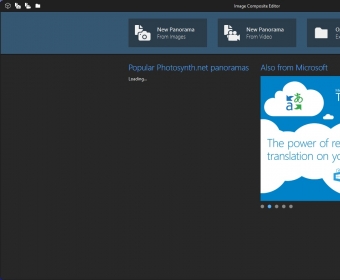
You can create stunning panoramas using this tool in four simple steps. The first thing is to “Import” the source images. In this option, you’ll be allowed to “structure” your panorama in whatever way you prefer, i.e. arrange in the right order the pictures you’ve imported. You can also define the overlap, the angular range, and the overall layout, or you can let the program do all that for you automatically.
Once you’re happy with the way the source images look, you can proceed to the “Stitch” option. It is in this second step where all the magic happens. The program will align and look for coincident elements in each pair of contiguous images in order to glue them together in the most seamless way possible. Once it is done, you’ll be allowed to fine-tune the orientation and – in the case of panoramas created using the “rotating motion” option – also the projection type.
The third step will let you crop any unwanted border, and fill the missing spaces (if any) using the program’s auto-completion feature. As it usually happens with all these pixel prediction based algorithms, the quality of the resulting image varies greatly from picture to picture. The fourth and final step is the “Export” option, where you can save your new panorama as a JPEG, TIFF, PNG, BMP, or PSD (Photoshop) image file. You can also save the entire project as an SPJ file, which will allow you to edit and enhance your panorama later provided that you haven’t deleted or moved the source images somewhere else.
This free Microsoft utility is an excellent tool for anyone wanting to create panoramas out of series of pictures or video frames without the hassle of learning to use a complicated professional image editor. The results are usually very good to excellent, though it greatly depends on the quality of the source material used.





Comments